Create Account With Phone Number
Modified on: 2026-04-02 11:06
This guide explains how to automatically create a new user account and complete the registration process using your phone number and verification code.
TABLE OF CONTENTS
Step 1: Create Account
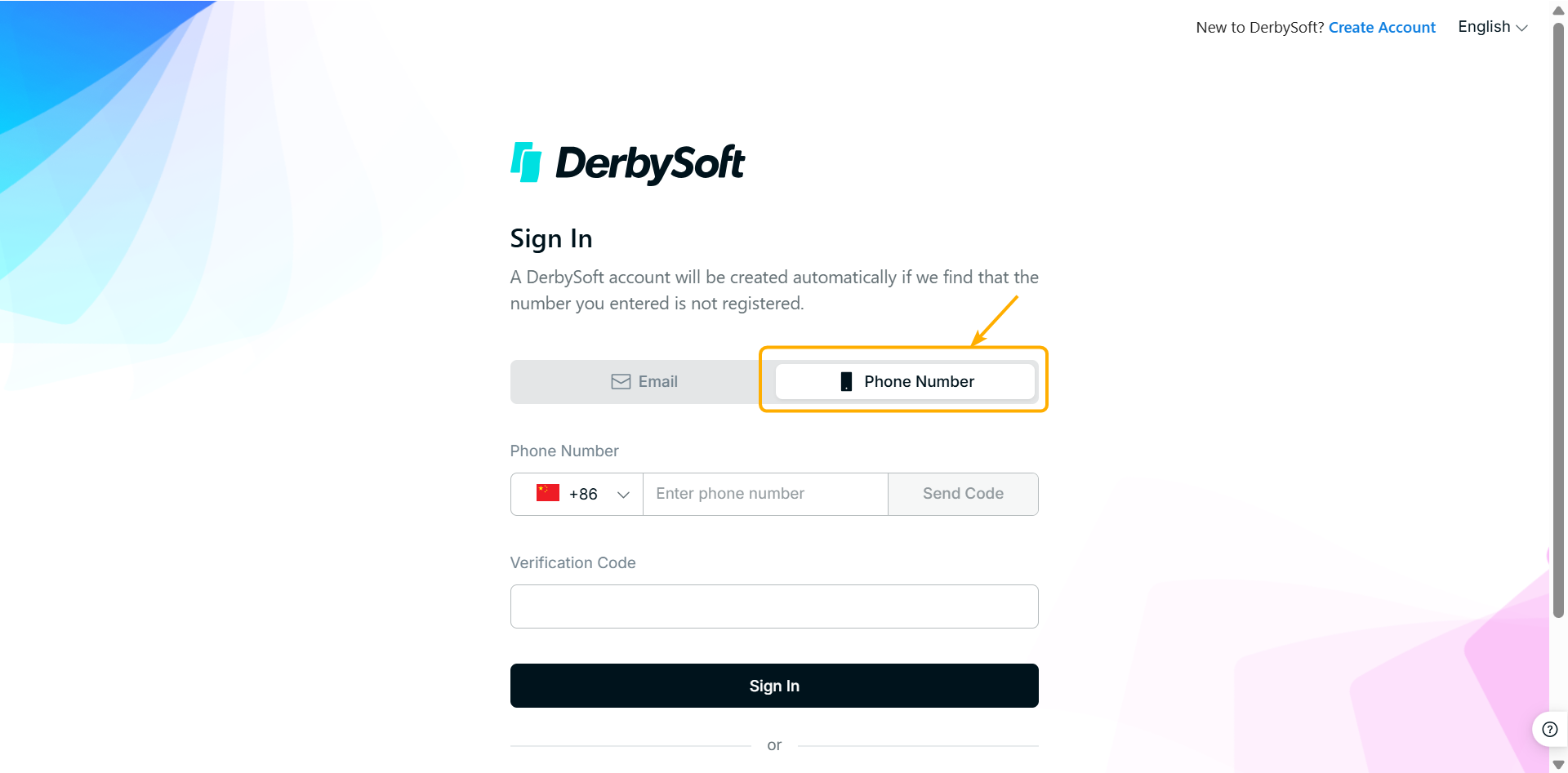
Click on the Login Page ( https://sso.derbysoftsec.com) and click Phone Number tab.
Step 2: Enter Phone Number & Verification Code
If your phone number has not been used to sign in to Derbysoft before, the system will automatically create an account for you.
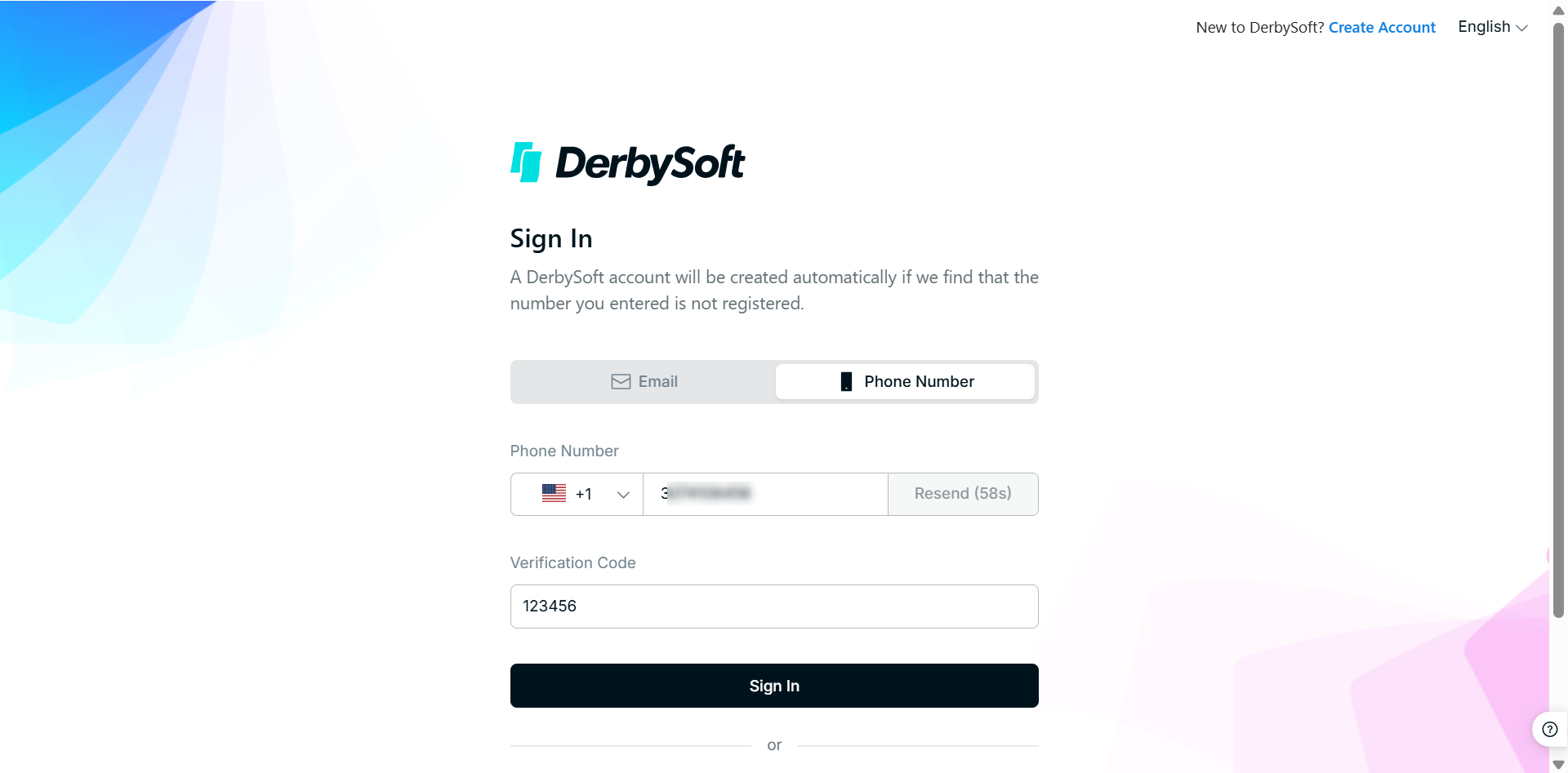
- Select your phone number code; enter your phone number; click Send Code.
- Enter the verification code received via SMS and then click Sign In.
Step 3: You’re All Set
Welcome to Derbysoft! We're glad to have you here. After you sign in, you'll be redirected to the homepage in just 5 seconds!

Did you find it helpful? Yes No
Send feedbackSorry we couldn't be helpful. Help us improve this article with your feedback.